Error on the module:
Top Tips: Capturing Backlit Portraits
Add a touch of Magic.
Backlighting is as simple as it sounds. You use a light behind your subject to make it stand out from the background. It's very common to use a backlight in a studio portrait, where it can add definition to your subject’s hair or head, but backlighting doesn't just have to be used for portraits. You can use it for product images, photographs of animals, or even subjects in landscapes, such as trees.
Hide The Sun
The sun can be an inconvenience to photographers on some occasions; it is so bright that it renders a huge white void in our images. However, use it to your advantage. Rather than turning your camera away from the sun when taking portraits, hide the sun directly behind the subject's head to act as a hair light, just as you would in a studio shoot. It can elevate a subject by highlighting their hair or even creating a full halo effect.
Use a Fill-in Flash
Of course, with the light coming from behind the subject, you may want to add a touch of light to your subject's face. You can do this using a flashgun, such as the HVL-F28RM. Ensure your Sony Alpha camera's flash mode is set to Fill-Flash. This is found in the Menu at Exposure/Colour > Flash > Fill Flash. If you take some test shots and find that you need to Fill Flash to be brighter, you can adjust the power of the light by using Flash Compensation - which is found in the Exposure/Colour > Flash menu.
Exposure
The face is obviously the most essential part of any portrait. To make getting a correct exposure easier when shooting a backlit portrait with flash and Multi Metering, Aperture, or Shutter priority mode, turn on Face Priority mode (Exposure/Colour > Metering > Face Priority in Multi Metering >On). This will ensure that your Alpha camera gets a perfect exposure of the face, even with bright backlighting and a fill-in flash.
Overpower The Sun
There are some fun things you can do with backlighting and a fill-in flash, such as trying to overpower the sun. This can look especially effective during sunrise and sunset where you can capture the beautiful golden glow without it being washed out.
To do this, select ISO 100 and then the fastest flash-sync speed of your Sony camera, which will usually be 1/125-1/250s. Next select a small enough aperture to ensure you get all the detail in the sky you want. The idea is that you are using the camera exposure settings to get the background looking like you want it, then using the flash exposure to light the subject so you can ignore the subject's exposure completely. Now, set the flash to full power and take a shot. The background will be exposed as before, but your subject will be lit almost entirely by the flash.
Använd synkronisering med hög hastighet
Om slutartiden på 1/250-sekunder inte är tillräcklig för att fota mot solen kan du försöka med att använda läget High Speed Synchronisation (HSS). Detta görs på ditt Sony-blixtaggregat genom att tycka in Fn-knappen, välja HSS på skärmen och växla funktionen till På. Du kan nu öka slutartiden till 1/4000-sekunder, men måste samtidigt minska blixtkraften till 1/2. När du är klar är det dags att testa de olika inställningarna för att få ditt önskade resultat.
 © Martin Krolop | Sony α9 III + FE 24-mm f/1.4 GM | 1/16000s @ f/1.4, ISO 250
Alpha 9 III är mästaren när det kommer till att ta porträtt vid synkronisering med hög hastighet tack vare dess globala, elektroniska slutare. Du kan få mer information – och se vad den kan göra – genom att läsa om hur Martin Krolop använder sin Alpha 9 III och Sony-blixtsats här.
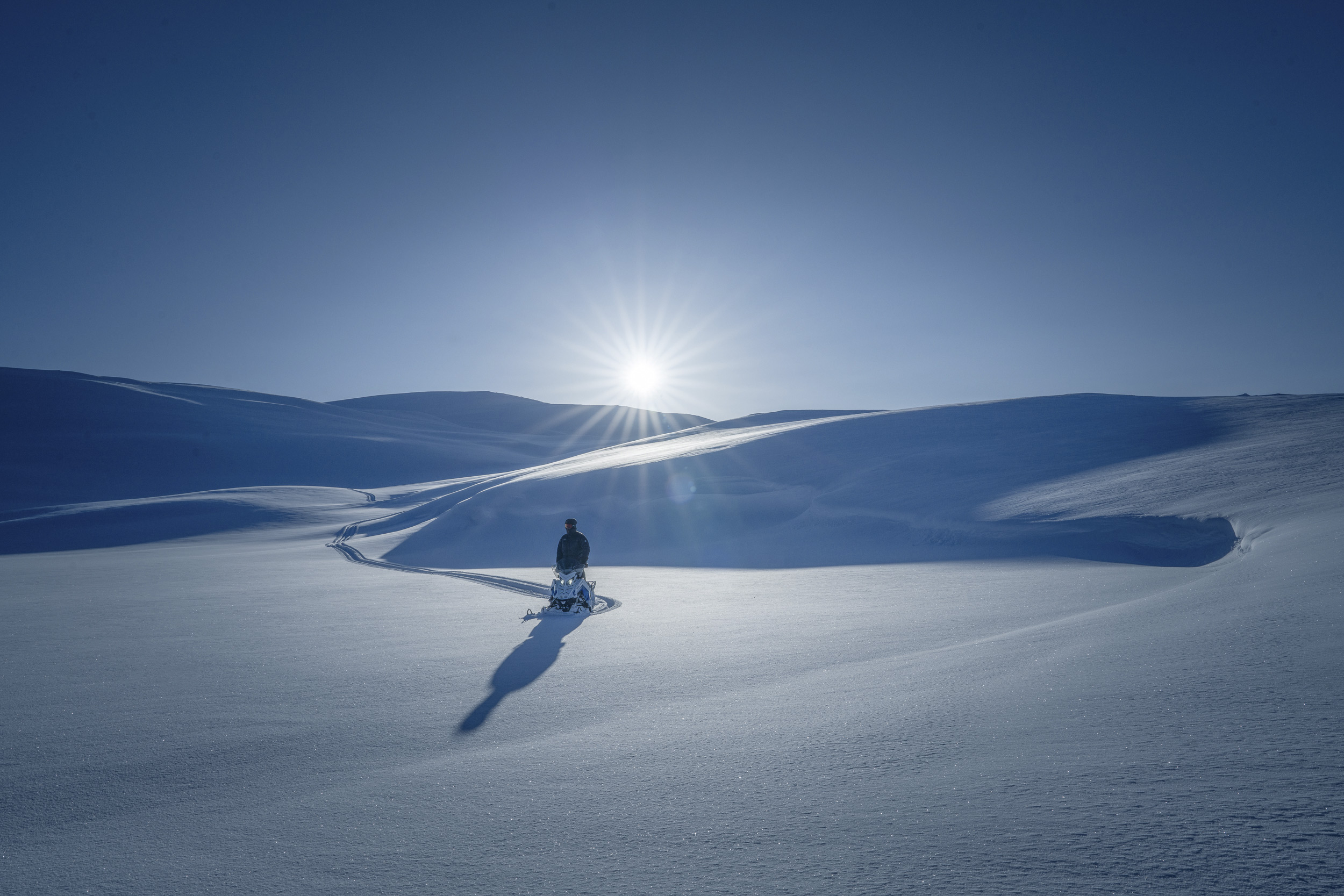 © Tobias Hägg | Sony α7R IV + FE 24-70mm f/2.8 GM II | 1/640s @ f/14, ISO 100
Solstjärnor
När du använder bakgrundsbelysning kan du istället för att försöka dölja solen bakom ditt objekt göra den till ett inslag i bilden. Ett av sätten för att lyckas med detta är att förvandla solen till en solstjärna. Om du vill göra detta ska du ställa in objektivet till en liten bländare, till exempel f/16, och med ens kommer solen att förvandlas till en stjärna. Antalet punkter kommer att bero på antalet bländarblad i objektivet. Om objektivet har ett jämt antal bländarblad, så kommer antalet punkter att matcha antalet blad. Men om du har ett objektiv med ett udda antal bländarblad, till exempel de 11 blad som finns i FE 24-50mm f/2.8 G, så dubbleras antalet punkter, vilket betyder att din solstjärna får 22 punkter.